Series : Terminology · Part 15 of 15
- 1. What is a cookie?
- 2. What is a cache?
- 3. What is a VPN?
- 4. What is cloud computing?
- 5. What is a digital memory?
- 6. What is artificial intelligence?
- 7. What is an AI agent?
- 8. What is a token?
- 9. What is RAG?
- 10. What is an embedding?
- 11. What is two-factor authentication (2FA)?
- 12. What is a QR code?
- 13. What is a prompt?
- 14. What is an API?
- 15. What is a NAS? Your own little cloud at home!
What is a NAS? Your own little cloud at home!
Published
A NAS is a small file server at home: your photos, documents, and backups, available from your devices.
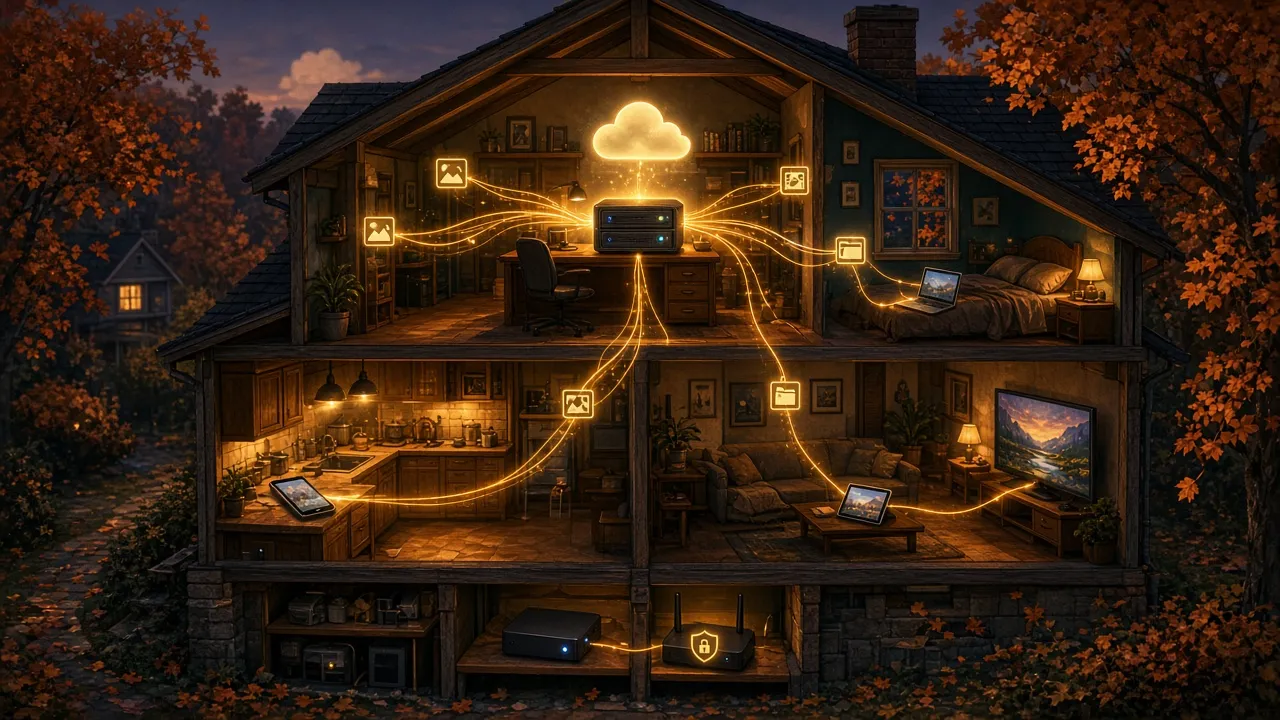
What is a NAS? Your own little cloud at home! 🏠☁️
You have photos on your phone, documents on your computer, and videos on an external hard drive.
What if you could keep it all in one place, at home, and still reach it from your different devices?
That’s exactly what a NAS lets you do.
💾 What is a NAS?
NAS stands for Network Attached Storage.
Picture an external hard drive, with one important difference: instead of plugging it straight into your computer, you connect it to your home network.
Every authorized device in the house can then reach it.
A NAS is really a small computer built for storing and sharing files. It usually holds one or more hard drives.
Makers like Synology and QNAP sell NAS devices meant for home users.
🏠 What is it useful for, day to day?
A NAS can do several jobs:
- 📸 Photos: keep the whole family’s photos in one place.
- 💻 Backups: automatically back up the computers at home.
- 📁 Documents: open your files from several devices.
- 🎬 Videos: keep your movie and personal video collection in one spot.
- 🌎 Remote access: get to your files when you’re away from home, over a secure connection.
Some NAS devices even offer mobile apps that can automatically upload new photos from your phone.
☁️ Is it like iCloud or Google Drive?
Yes, in part!
With iCloud or Google Drive, your files live on a company’s servers.
With a NAS, they live on your own gear, at home.
Where your data lives
Cloud service : Data at a provider
NAS : Data at your place
Cost
Cloud service : Subscription based on space
NAS : You buy the hardware and drives
Maintenance
Cloud service : The provider handles maintenance
NAS : Maintenance is on you
Access
Cloud service : Reachable over the Internet
NAS : Reachable on the local network and, if set up, remotely
So a NAS gives you more control, but also a bit more work to manage.
And nothing stops you from using both!
🔐 Is it more secure?
Not automatically.
Keeping your data at home helps you control where it lives.
But you also need to:
- install security updates;
- use strong passwords and two-factor authentication;
- limit access to authorized users;
- lock down remote access;
- plan for independent backups.
Owning your data also means owning the job of protecting it.
⚠️ Watch out: a NAS is not a backup!
This is probably the most important point.
Many NAS devices let you install two drives that hold the same information.
If one drive fails, the other can keep the files available.
That kind of protection is often called RAID.
But if you accidentally delete a folder, if malware encrypts your files, or if your NAS is destroyed in a fire, both drives can be hit.
Two drives in a NAS do not replace a real backup!
The ideal is to also keep an independent copy, for example on an external drive or in a cloud service. For photos synced in the cloud, see also Your photos are in the cloud. Are they really backed up?.
💰 How much does it cost?
For a home NAS, plan on a few hundred dollars for the device, plus the cost of the drives.
The price depends on storage capacity, performance, and the features you want.
Unlike some cloud services, there isn’t necessarily a monthly subscription just to store files locally.
You still need to factor in electricity, upkeep, and eventually replacing the drives.
🤔 Does everyone need a NAS?
No!
If you only have a few documents and photos, a cloud service plus a solid backup plan can be enough.
A NAS becomes especially useful if:
- you have a lot of photos and videos;
- several people share the same storage space;
- you want to back up several computers;
- you prefer keeping your files on your own equipment;
- you like having more control over your data.
🍳 The simple version
A NAS is a small file server you set up at home.
It lets you centralize your photos, documents, and backups, then make them available to your devices.
You can think of it as your own little personal cloud, with one big difference: you own and manage the hardware.
But remember this above all:
A NAS lets you store your files. An independent backup lets you get them back if something goes wrong.
The two go together!
☁️ luc.cloud — Tech, simply.